 DPP Knowledge Base
 DPP Linter: check any passport against the standards
Enter the link from a product's QR code and see, criterion by criterion, whether its passport can be read, follows the EN 18223 data model, uses valid identifiers and can be checked for integrity. Free, open source, no account.
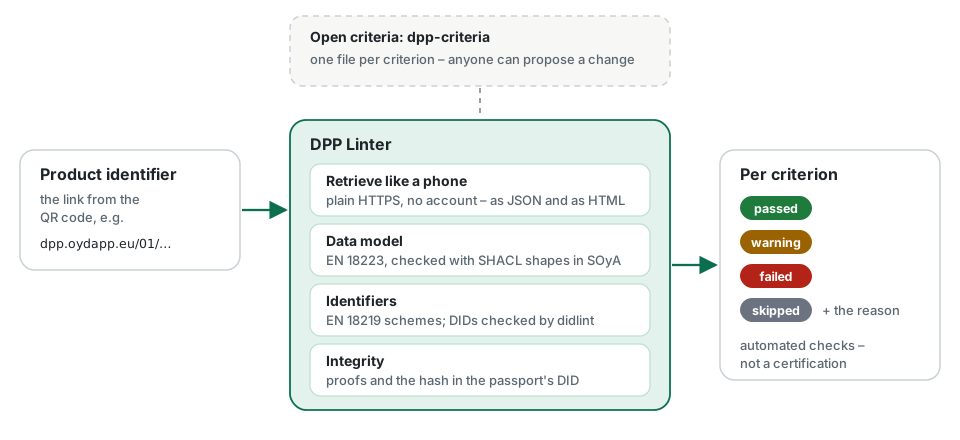
In short
- The DPP Linter takes a product identifier – the link in a product’s QR code – and checks the passport behind it.
- It reads the passport the way a phone would: plain HTTPS, no account, no token.
- It checks against open criteria derived from the harmonised standards and EU regulation, which anyone can review and improve.
- Every criterion ends as passed, warning, failed or skipped – with the reason.
- It is free and open source. Results are automated checks, not a certification.
Why check a passport
A passport is read by software its issuer never sees: a consumer’s phone, a recycler’s scanner, a customs system. If the identifier does not resolve, the data model is off, or the integrity cannot be checked, those readers fail silently.
The DPP Linter makes these problems visible before anyone else runs into them. It works for any passport that is publicly reachable – one you published yourself, one from a supplier, or one you want to compare with.
How to use it
Open dpplint.ownyourdata.eu, paste the product identifier and press Check. The result appears within seconds:
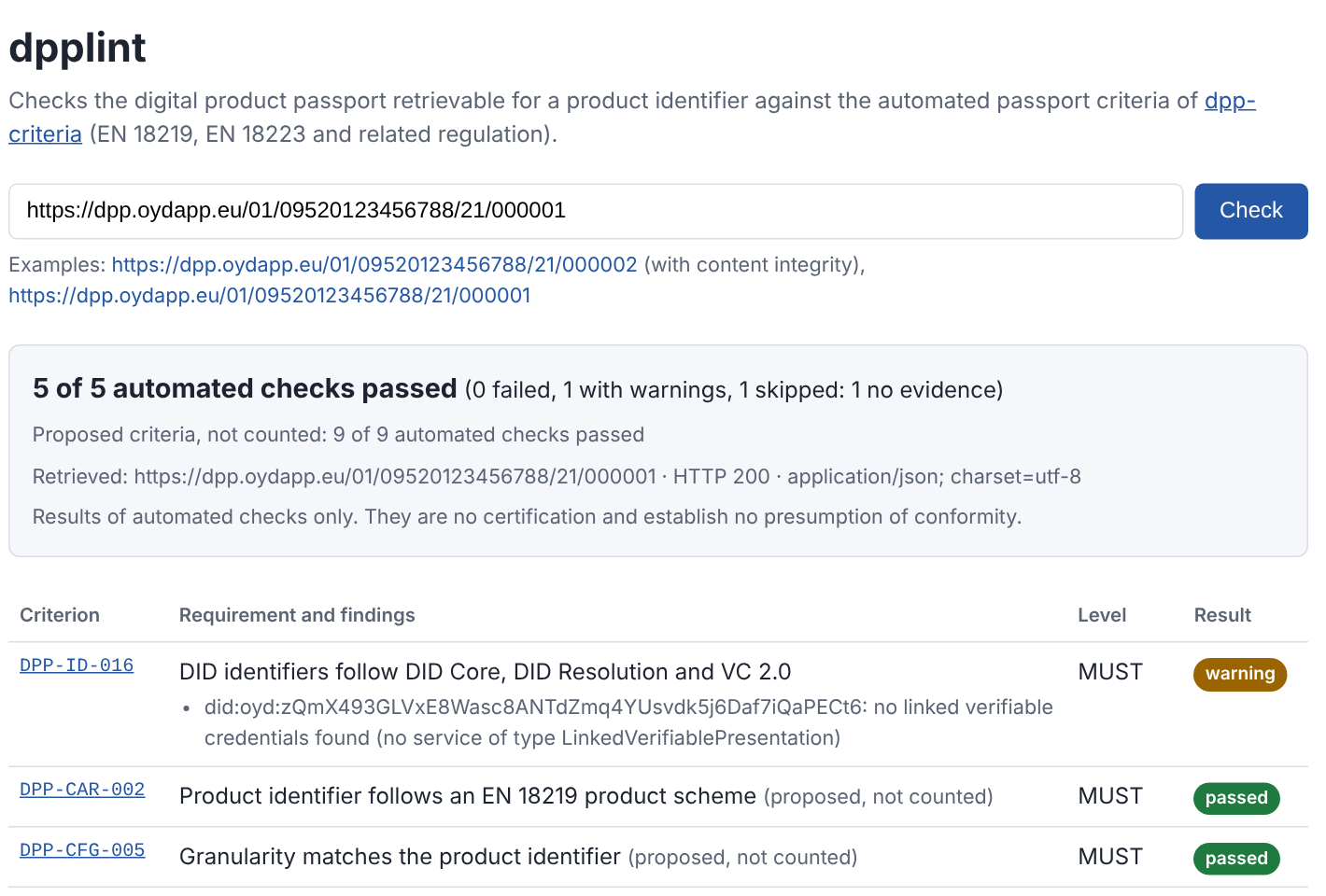
A check can be linked: https://dpplint.ownyourdata.eu/?productId=<product identifier> runs it directly, which makes it easy to share a result or put it into a ticket.
For automation there is an API:
curl https://dpplint.ownyourdata.eu/api/v1/validate/https://dpp.oydapp.eu/01/09520123456788/21/000002
A passport that is not published yet can be sent as JSON with POST /api/v1/validate – useful as a check before the first submission.
What it checks
| Area | What the linter does |
|---|---|
| Retrieval | requests the product identifier like a scanning phone, without credentials, and checks that a passport comes back – as JSON for software and as HTML for people |
| Data model | checks the passport against the EN 18223:2026 data model, using SHACL shapes in SOyA |
| Identifiers | checks the product identifier against the schemes of EN 18219:2026, and has decentralised identifiers checked by DID Lint |
| Integrity | verifies proofs in the passport and compares the content with the hash in the passport’s DID document |
Which checks apply is decided per criterion. A battery-specific criterion, for example, is skipped for a lamp – with the reason not applicable.
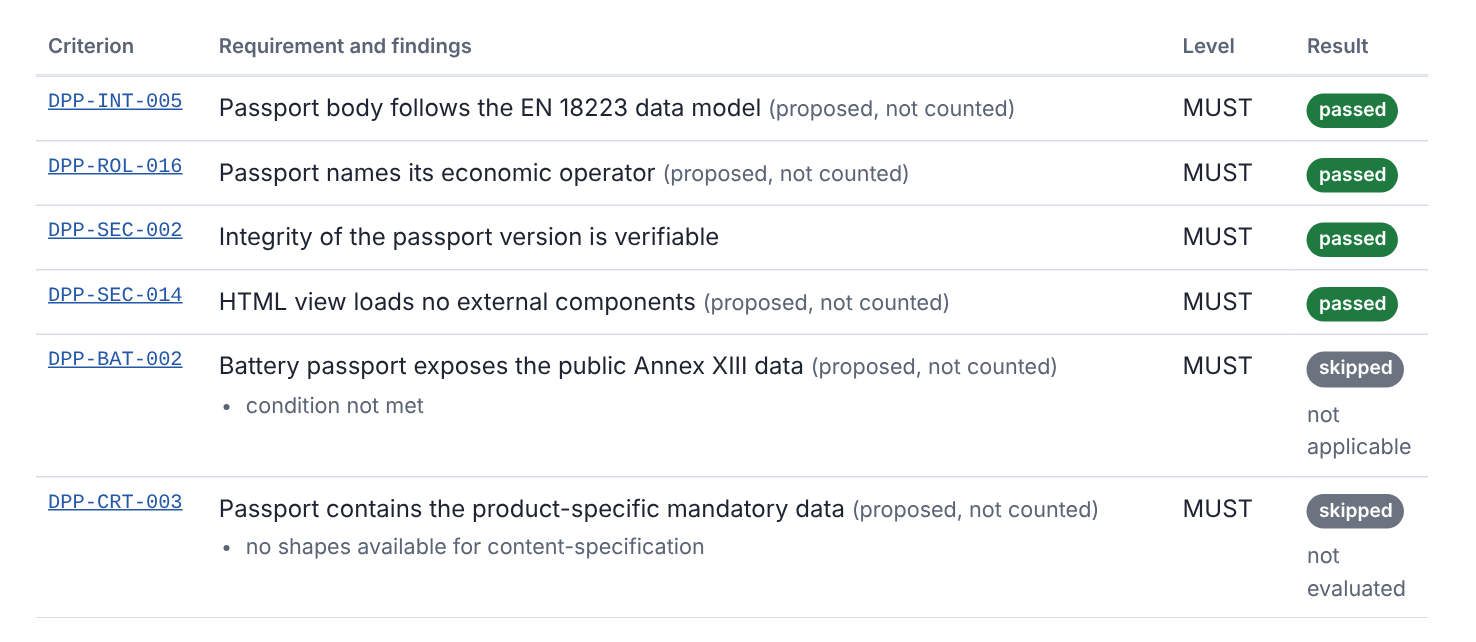
Reading the result
- passed – the requirement holds.
- warning – only checks of the lower severity warning failed; the passport works, but something should be improved.
- failed – a mandatory check failed; the findings say what was found.
- skipped – not evaluated, always with a reason: not applicable, not implemented, no evidence and others. Skipped criteria never count.
Criteria that are still under review are marked proposed, not counted. They are shown so you can see what is coming, but they do not change the summary.
Open criteria, open to contributions
The criteria are not hidden in the tool. They live in the public repository dpp-criteria – one file per criterion, each with its source in the standards or the regulation, paraphrased rather than copied. New or changed criteria are proposed with a pull request and enter as proposed; after review they become active.
The same criteria are used by the DPP Service Validator, which checks DPP services rather than single passports every day.
What the linter cannot tell you
The results state how many automated checks a passport passed. They are not a certification and do not establish a presumption of conformity. Product-specific content – what a delegated act requires for a particular product group – can only be checked once machine-readable shapes for that group exist; until then such criteria are skipped as not evaluated.
Check a passport now
Paste the link from any product's data carrier – yours, a supplier's or our example lamp.
Further reading
- dpp-criteriathe open criteria and how to contribute
- dpplintsource code and API description
- DID Lintthe checker for decentralised identifiers it uses
Related articles
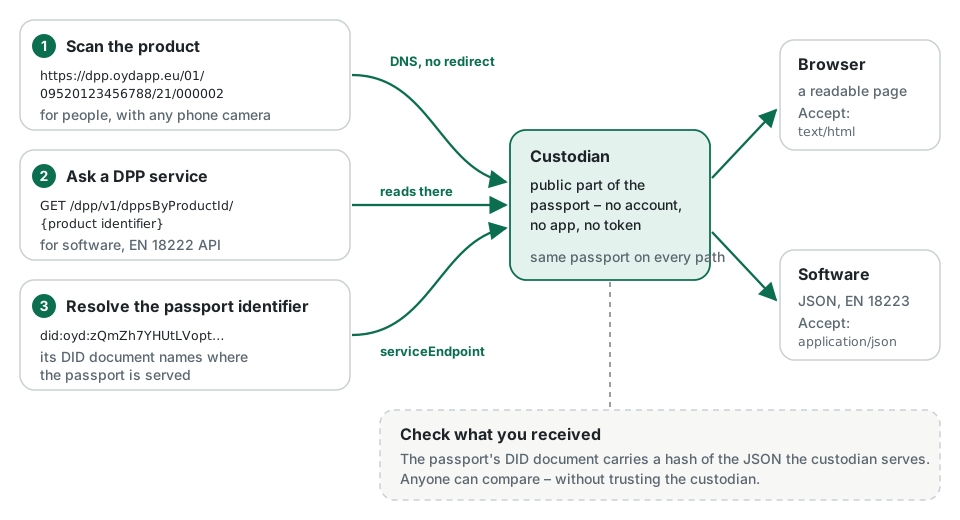
Public availability: from QR code to passport
How anyone gets from the code on a product to its passport – without an account or an app – why the link on the product never has to change, and how a reader can check that the data is genuine.
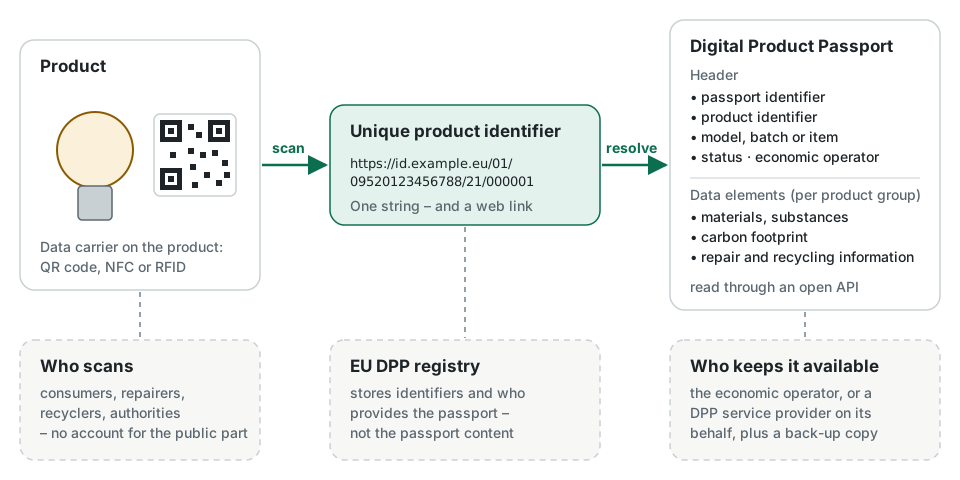
What is a Digital Product Passport?
A digital record that travels with a product, reachable by scanning the product itself. What the EU requires, what a passport contains, who reads it and when it becomes mandatory.
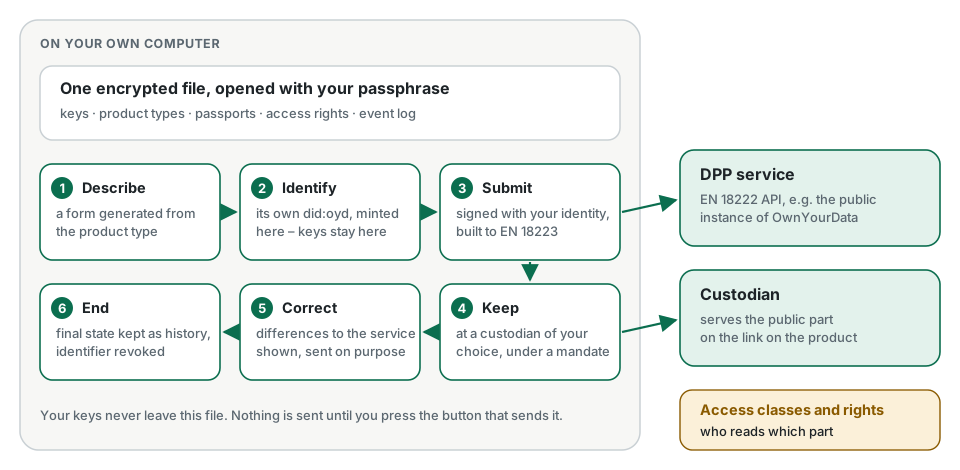
DPP Manager: create and manage passports on your own computer
A free application for economic operators. Describe products, issue passports, keep them at a custodian of your choice and decide who reads what – with your keys and data in one encrypted file on your own machine.
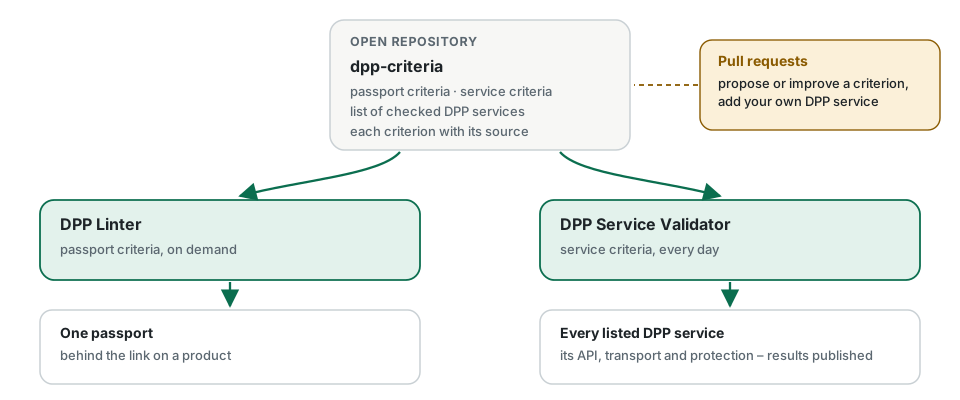
DPP Service Validator: daily, public checks of DPP services
Every listed DPP service is checked every day against open criteria – transport security, the EN 18222 API and protection against unauthorised changes – and the results are published for everyone to see.